
Your water, made clear
WaterWatch turns a water meter into a simple dashboard - see what you're using, what it's costing, and get a heads-up the moment a leak starts. Free for connected properties, with no new hardware to install.
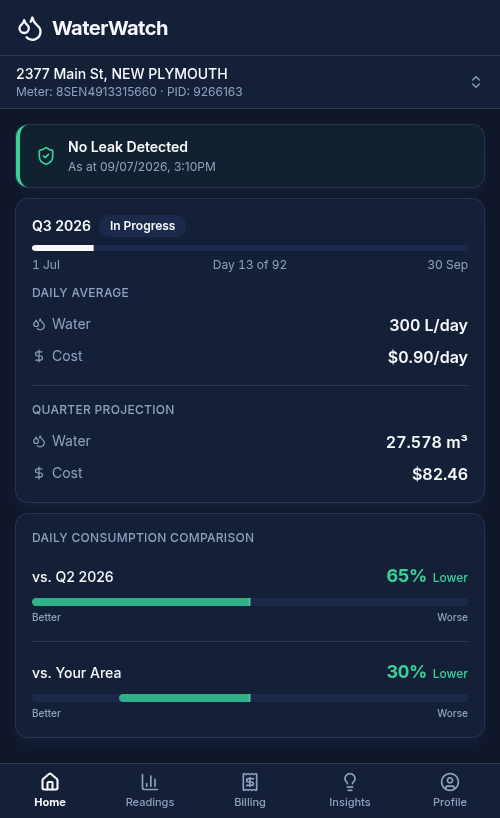
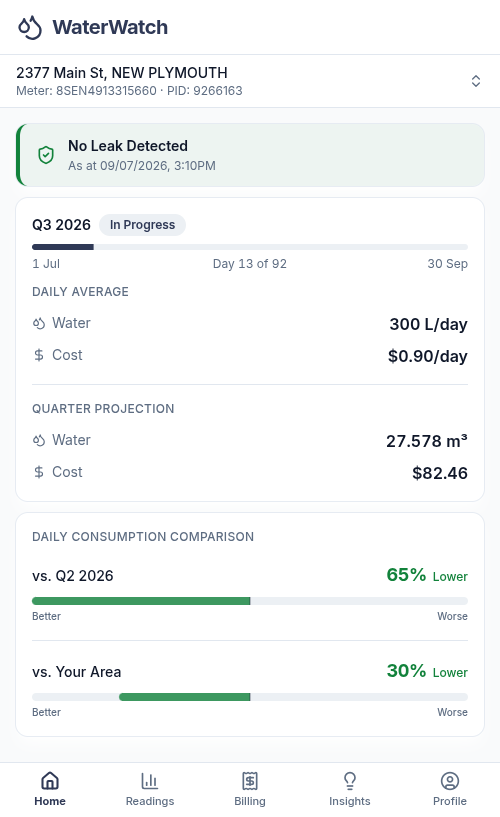
Everything a customer needs to know about their water
Everything lives across five tabs along the bottom of the app - plus a leak watch that's always running in the background.
Home
Leak status, today's water use and cost, and a projection for the quarter - plus how you compare to last quarter and to your area.
Readings
Track cumulative meter readings over 7 days, 30 days or 12 months, see month-by-month consumption, and export your data as a CSV.
Billing
An estimated quarterly cost and $/day, projected usage, and a side-by-side of flat-rate versus volumetric charging for your connection.
Insights
Set your household make-up to see typical usage for a home like yours, then use the conservation calculator to model real savings.
Profile
Manage sign-in and notifications, see your connected meters, claim another property, or let your utility know you're moving.
Leak Watch - always running
WaterWatch keeps an eye on the meter and flags unusual flow - so a quiet leak doesn't become a nasty bill.
Happier customers, quieter phones
WaterWatch places consumption data, billing transparency and leak alerts directly with the customer - reducing Contact Centre load and improving satisfaction.
Fewer bill-shock calls
Customers see where their quarter is heading before the bill lands - and exactly how their connection is charged.
Leaks caught early
Early leak alerts mean customer-side leaks are fixed sooner - saving water, treatment cost and disputed bills.
Shared meters handled properly
Each property on a shared meter claims it with their own Property ID and sees their share of usage and cost - not the whole connection.
Nothing new to install
WaterWatch works from your existing connected meters and account data - no new hardware, no rollout project.
Get started in three steps
Customers just need their latest water bill or rates notice handy - that's where their meter details live.
1. Create an account
Sign up with an email address and password - that's the sign-in from then on.
2. Claim the meter
Enter the Property ID and Meter number from the water bill or rates notice to link the connection.
3. See the usage
The dashboard fills in as meter readings come through - usage, cost, comparisons and leak watch, all in one place.
Full getting-started guides and help articles live on the WaterWatch site: waterwatch.co.nz →
Bring WaterWatch to your community
We can show you WaterWatch running on live meter data, and what a rollout looks like for your council or utility.